Account Settings
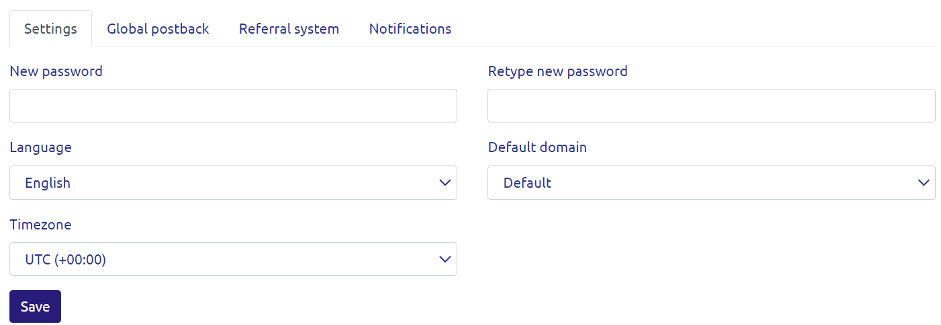
Change Password
We recommend creating strong passwords for accessing your account and changing them at least once a year.
How to change your password:
- Click on the “Gear” icon in the upper-right corner.
- Go to the “Settings” section and select the option to change your password.
Interface Language
You can set the interface language of your dashboard to your preference.
How to change the interface language:
- Click on the “Gear” icon in the upper-right corner.
- Go to the “Settings” section and select your preferred language.
Time Zone
You can set a time zone for your statistics that suits your convenience, which will be used by default.
How to change the time zone:
- Click on the “Gear” icon in the upper-right corner.
- Go to the “Settings” section and choose the desired time zone.