Rotators
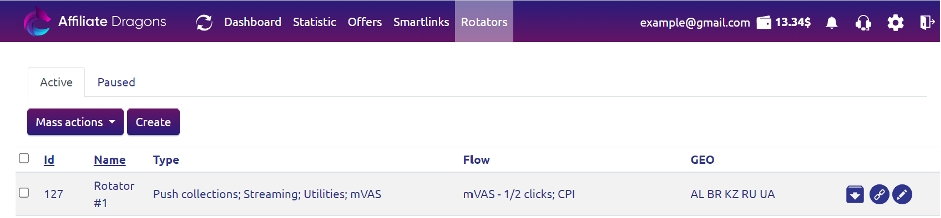
In the Rotators menu, all your created rotators are displayed:
- Active - A list of rotators you currently need.
- Paused - A list of rotators you do not plan to use.
What is a Rotator?
A rotator is a single link for multiple offers.
Selecting Offers for Rotation
Popular use cases:
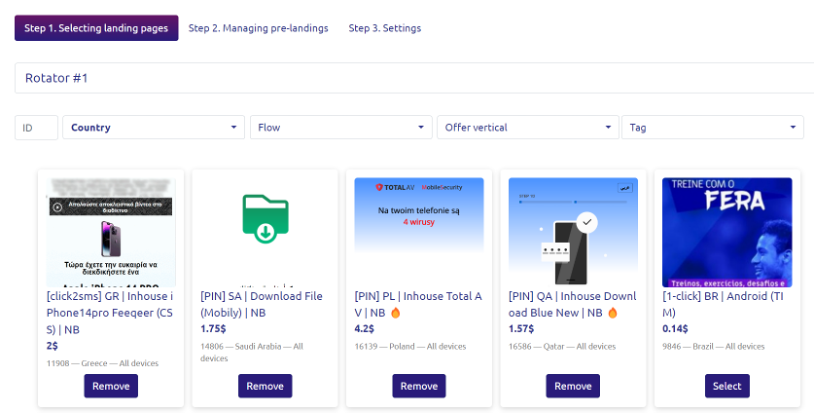
- Select multiple offers from the same country or operator - traffic will be distributed randomly among the selected offers. In the statistics section, you can identify the best-performing offers and retain only those for further earnings.
- Select offers for multiple countries - the system will automatically distribute traffic from different countries to the corresponding offers.
Pre-lander Setup
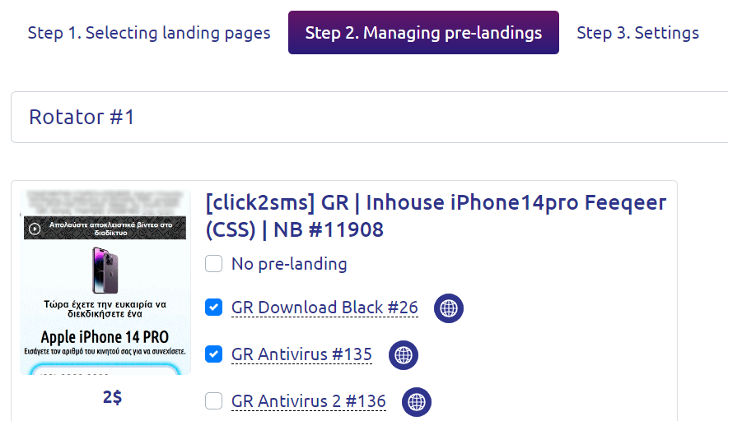
To increase the likelihood of conversions, we develop warming-up pages called pre-landers for the offers.
At the second step of creating/editing a rotator, you can mark the available pre-landers on the offer with a checkmark. The marked pre-landers will be used randomly for traffic. You can also select "Without Pre-lander", and this option will also be included in the rotation.
Final Steps in Rotator Creation/Editing
At the third step of creating/editing a rotator:
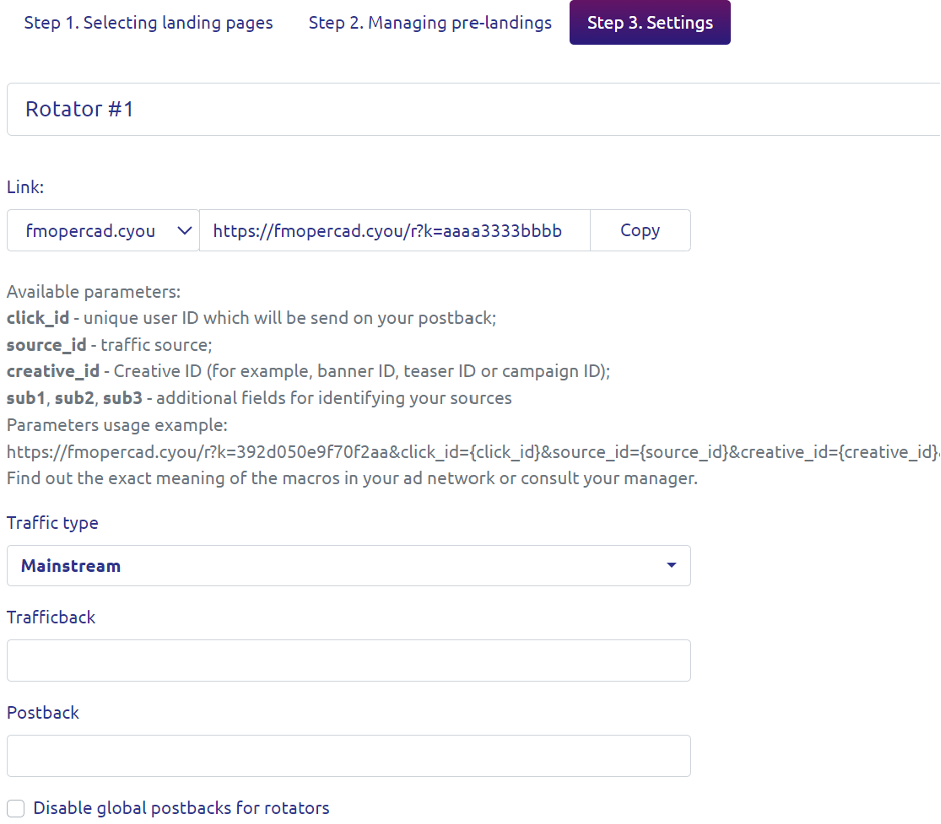
- Name Field - Edit the name of the rotator.
- Traffic Submission Link - The link for sending traffic (details in the Affiliate Dragons FAQ for partners).
- Dropdown Menu - Indicate the type of traffic you plan to send to the rotator (Adult or Mainstream).
- Trafficback Field - Specify the link where traffic that was not accepted by the rotator's offers will be returned (details in the Affiliate Dragons FAQ for partners).
- Postback Field - Specify the link where notifications about conversions will be sent (details in the Affiliate Dragons FAQ for partners).